How to be safe on the internet – Rules and ways to stay safe
We are increasingly using digital services, and as a consequence, risk has increased. Almost every day, you can read or hear news about information being stolen, such as login, passwords, credit cards, and so on. One of the first famous stories is Mat Honan, who was hacked in 2012. That’s why we need to have the proper behavior and don’t trust blindly and by default the digital services we are using. Here is a list of rules to follow to stay safe on the internet:
- Always have your system up-to-date (turn-on automatic updates for the system and the browser.
-
- On Windows, make sure all your drivers are updated to the latest version.
- On Smartphones, allow automatic updates (IOS automatic update for Apple products and Android automatic updates).
- Use an Antivirus. Many options exist that propose different packages to cover many security aspects. One of the best free options is Avast Free Antivirus (available for PC, Mac, Android, and IOS). The paid options include many other security layers worth checking.
- Enable firewall (on your system, on your home router, etc.).
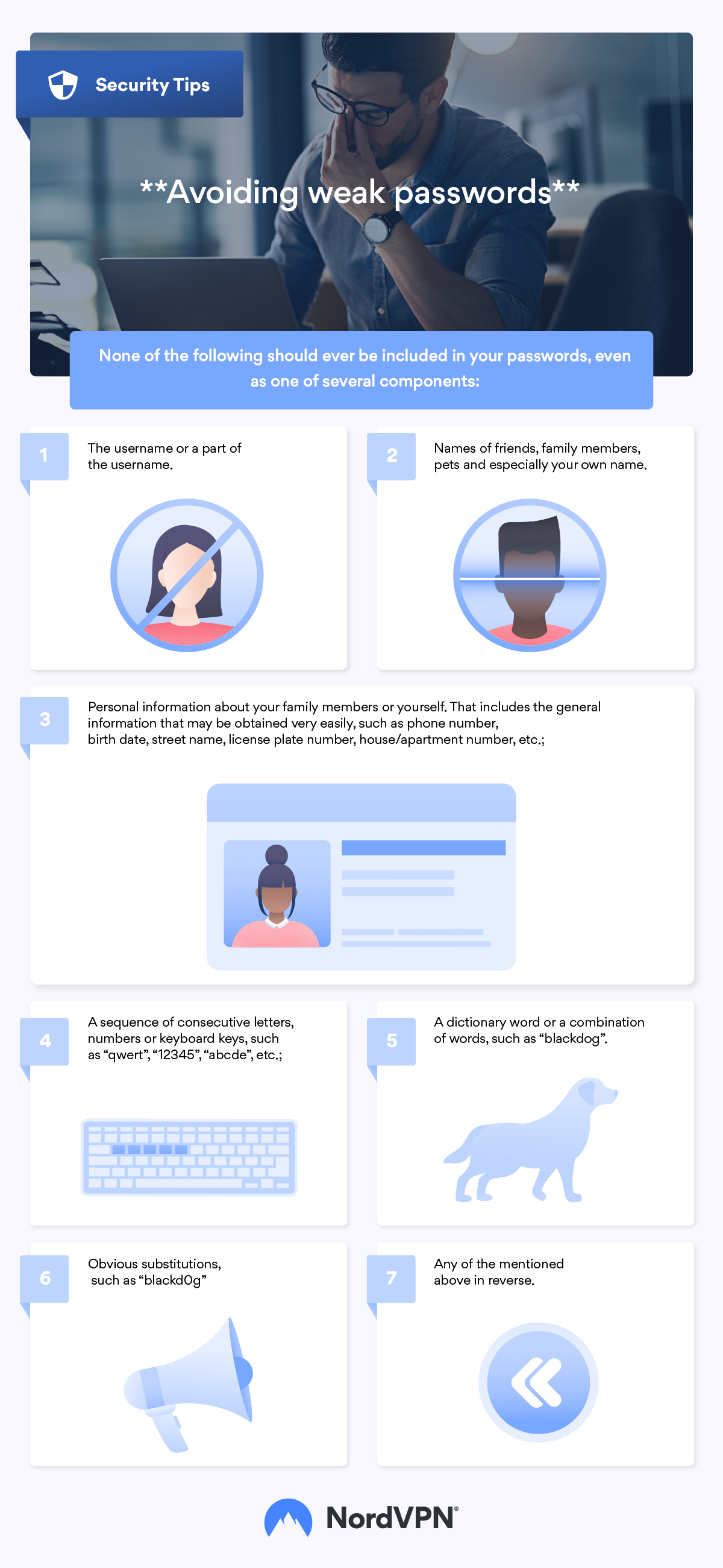
- Use strong passwords and a vault to keep them (Google Password Manager, NordPass). A good vault solution must have 2-form factor authentication and data being encrypted before being copied to external cloud. Google password manager is ok but anybody with access to your computer will have access to all your passwords (autofill). On top, the autosuggestion is limited in term of length and complexity. NordPass is best to achieve the right level of security for your passwords across your devices and your applications. It is based on one of the best security encryption algorithm XChaCha20.
- Enable 2-form factor authentication, increasing the level of protection to access your data, etc. It is coming on top of using your password, and many applications have this feature nowadays.
- Be very careful with emails and text messages. If it is too good to be true, it is. If you don’t know the persons, don’t trust them. If the bank contacts you, check through the normal bank service.
- Never share your details and passwords with unknown/non-confirmed parties. In fact, never share your passwords with anybody.
- Back up your essential data such as contracts, IDs, photos, work documents, etc. The best being on one cloud service such as OneDrive or Google Drive, and a local copy to one external drive (to be kept offline and secured).
- Use VPN on public Wi-Fi but also from any other locations. Many VPN exists. I recommend the one I have been using for many years: NordVPN. This VPN is available on many platforms and is easy to use (install, log in, and select a location). It is updated frequently to get the best from it and always be at the top of online security. Many places and servers are available. The performance is outstanding and very fast. VPN allows you to be anonymous and seen within a specific country.
- Encrypt your key data (banking statement, ID information, etc.). Will you leave personal and critical data available to everybody in your house? No, you will protect them. It is the same on the internet, and many forget that digital does not mean protected by default. It would be best to take action as you will do for physical assets.
- Be extra careful of social networks. Despite some controls, it is mainly public. Share only information that could be shared with anybody. Never post something that you consider private.
- Close laptops and phones when not used. You can consider attaching a key and item finder device. I recommend Tile Mate sold on Amazon that I have been using for many years.
By following all the above rules, you will be safe on the internet. But never forget, there are always risks, and one day, you could fall for malware or any other cyber-attack. You will limit the impact by having backups, anonymous browsing, and encryption of your crucial data.
Disclaimer: The above content has been done in collaboration with NordVPN.
Products mentioned in this post:
Avast
NordVPN (affiliate link)
NordPass (affiliate link)
To Read more on this topic:
Essential infographics from NordVPN and NordPass: